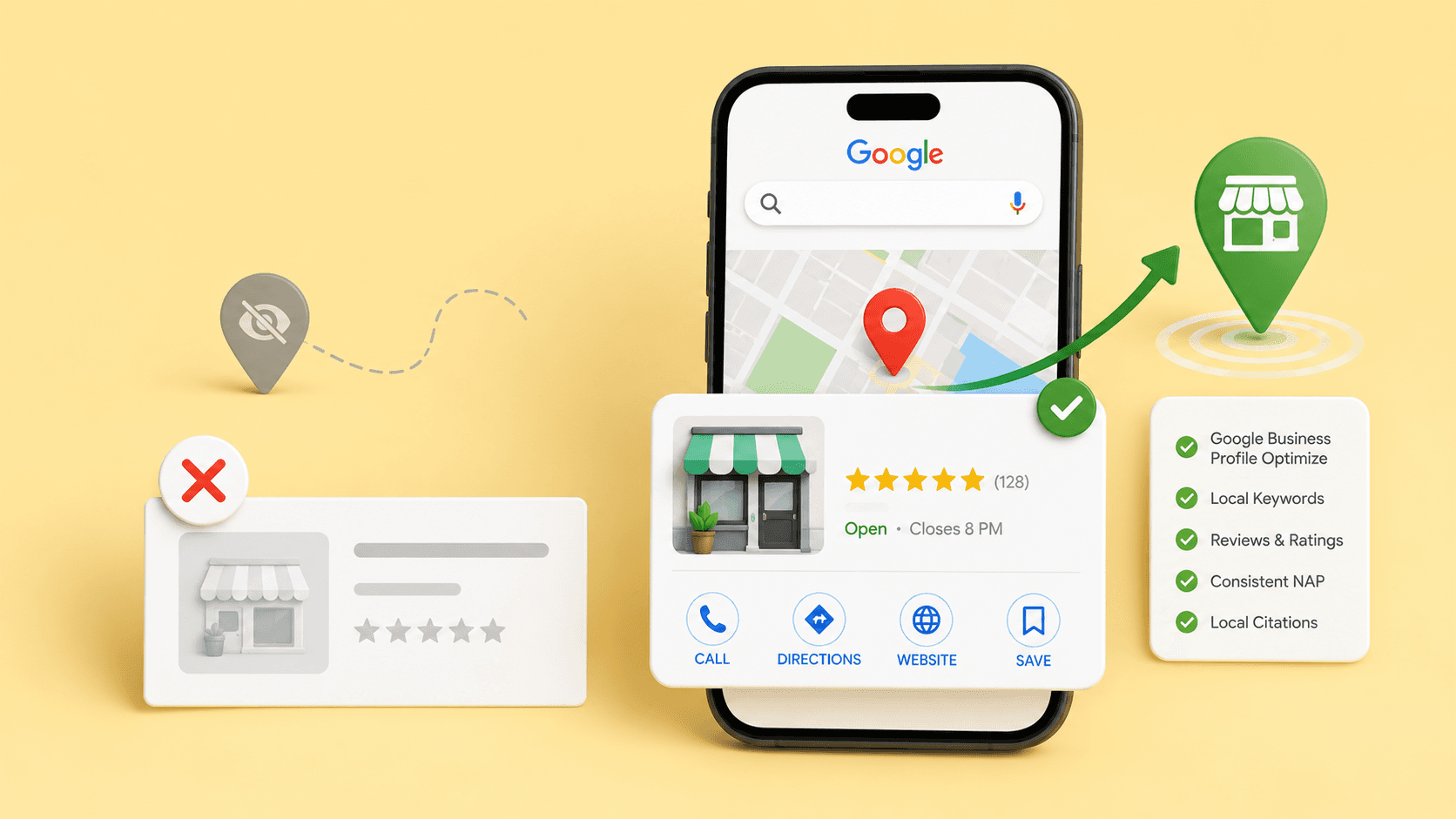
When a local business suddenly stops showing on Google, the problem is usually a compliance issue hidden in your Google Business Profile.
With Google tightening its verification checks, even legitimate businesses are getting dropped from the Map Pack overnight due to minor profile inconsistencies.
If your listing has vanished completely or is just tracking too weak to rank, you need a systematic audit. Let’s look at how to check your profile and fix the details crushing your local reach.
TL;DR
Check verification first: Make sure your Google Business Profile is claimed, verified, and managed from the right Google Account
Look for policy or suspension issues: Check for disabled profiles, guideline violations, incorrect addresses, duplicate listings, or service-area mistakes
Fix business information: Update your name, address, phone number, categories, opening hours, services, photos, and website links
Strengthen local ranking signals: Improve reviews, align your website with your profile, fix citations, and build trust through accurate local information
Maintain visibility over time: Use a weekly and monthly local SEO checklist to monitor reviews, hours, profile edits, citations, location pages, and competitor changes
Why Your Business May Not Be Showing On Google
A missing business listing can mean two different things: Google cannot show the profile properly, or the profile is showing but not ranking well enough.
Visibility issue vs ranking issue
A visibility issue means Google is not showing the business profile properly. This can happen if the profile is unverified, newly created, suspended, disabled, duplicated, or still under review.
A ranking issue is different. Your business may already exist on Google, but it may not appear for searches such as “dentist near me”, “restaurant in Bandra”, or “emergency plumber near me”. In that case, the profile is there, but competitors are more visible.
What You See | Likely Problem |
Your business does not appear when you search its exact name | Verification, suspension, eligibility, duplicate, or access issue |
Your business appears for its name, but not for service searches | Ranking, category, review, website, or local SEO issue |
Your business appears on Maps but not in the local pack | Ranking strength or query relevance issue |
One branch appears, but another does not | Multi-location setup or location-page issue |
Table 1: Visibility issue vs ranking issue
Search, Maps, and local pack results are different
Google Search, Google Maps, and the local pack do not always show the same results. A business may appear when someone searches its brand name, but not when they search for a service or category.
Check your business across three searches:
exact business name
main service plus location
category plus “near me”
This helps you see whether your local business is not showing on Google at all, or whether it is simply not ranking for the searches that matter.
Random edits can create more problems
Changing categories, stuffing keywords into the business name, or creating another profile can make the situation worse.
These changes do not help if the real problem is verification, ownership, suspension, or policy compliance.
Work through the checks in order. Make sure the profile can appear, fix the business information, then improve the signals that affect ranking.
If you are deciding whether to handle SEO yourself or bring in support, read What Are SEO Services? The Ultimate Guide for Businesses (2026 Edition).
Step 1: Check Whether Your Google Business Profile Is Verified
Before changing your website or worrying about backlinks, make sure Google can recognise and verify the business profile.
Search for your exact business name
Start with the basic checks. Search for your exact business name, your business name plus city, your phone number, and your address if customers visit your location.
Also check the Google Account used to manage the profile. Google’s guidance on profile verification explains that verification helps confirm that the person managing the profile is authorised to represent the business.
Confirm the profile is claimed and verified
A claimed and verified Google Business Profile gives you control over how your business appears on Search and Maps.
Verification methods can vary by business type, region, business hours, and the public information Google can find.
Avoid making repeated changes to your business name, address, or category while verification is active. It becomes harder to know whether the delay is caused by the original issue or by the new edits.
Check whether recent edits are still being reviewed
If the problem started after an address, category, phone number, ownership, or service-area change, the profile may still be under review.
Make one correction at a time. Keep a simple record of what changed and when. This is especially useful for agencies, clinics, restaurants, franchises, and multi-location brands where more than one person may have profile access.
Step 2: Check For Policy, Suspension, Or Eligibility Issues
Some visibility problems cannot be fixed with normal SEO because the profile itself may not meet Google’s rules.
Look for suspension or disabled profile notices
Check the email account connected to the profile and the Business Profile dashboard. If the profile is suspended or disabled, do not create a duplicate profile as a workaround.
Google can suspend or disable profiles that do not follow its rules, and Google’s Business Profile suspension guidance explains how eligible businesses can request a review.
Review Google’s business guidelines
Common policy problems include:
adding extra keywords to the business name
using a virtual office, mailbox, or non-eligible address
showing a residential address when customers do not visit it
creating more than one profile for the same business
choosing categories that do not accurately describe the business
using a phone number or website that is not the business’s main contact point
Use Google’s guidelines for representing your business to check whether your name, address, service area, categories, and contact details follow the rules.
Fix service-area settings for mobile and home-service businesses
This matters for plumbers, electricians, cleaners, repair services, consultants, mobile clinics, tutors, and other businesses that travel to customers.
If customers do not visit your address, do not present it like a public storefront. Set your service area accurately and make sure your website supports the same locations.
Submit an appeal when needed
If your profile is suspended, fix the likely policy issue before appealing. For multi-location brands, keep a record of profile IDs, addresses, managers, documents, and evidence. This makes appeals and profile cleanups easier to manage.
Step 3: Fix Your Business Information And Categories
Once the profile is eligible and verified, make the business information accurate, complete, and easy for Google to understand.
Choose the most accurate primary category
Your primary category should describe what the business mainly is. It should not cover every possible service you offer.
A dental clinic should choose the most accurate dental category available. A restaurant should not choose a category only because one dish sells well.
A law firm should avoid picking a narrow service category if most clients come for broader legal support.
Use secondary categories for important services, but keep them relevant.
Complete every useful profile field
The most useful Google Business Profile optimisation tips are practical: choose the right primary category, complete every relevant field, add recent photos, respond to reviews, and keep your services aligned with your website.
Check these fields first:
business name
address or service area
phone number
website
opening hours
primary and secondary categories
services or products
business description
photos
booking, menu, appointment, or order links where relevant
A half-complete profile gives Google and customers less information to work with. It can also make the business look inactive compared with nearby competitors.
Keep your name, address, and phone number consistent
NAP consistency for SEO means keeping your business name, address, and phone number accurate across your website, Google Business Profile, directories, and local listings.
This does not mean every comma and abbreviation must match everywhere. It means customers and search engines should not find conflicting business details.
Avoid having one address on your website, another on your Google Business Profile, and an old phone number on directory sites. These errors are common after moves, rebrands, branch closures, phone system changes, and agency handovers.
Remove duplicate or outdated listings
Duplicate profiles can confuse customers and create conflicting information. Look for old branches, practitioner profiles, previous business names, and profiles created by former agencies.
Do not delete anything without checking ownership and reviews first. In many cases, the better fix is to claim, update, merge, or mark an old location correctly.
For a fuller list of local visibility fixes beyond your Google Business Profile, read Local SEO Checklist for Small Business Owners: How to Show Up on Google Maps in Your City.
Step 4: Strengthen Local Ranking Signals
Once the profile can appear, focus on the signals that help it rank for relevant local searches.
Understand relevance, distance, and prominence
Google does not choose local results at random. Google’s local ranking guidance explains that local results are based mainly on relevance, distance, and prominence.
Relevance is how closely your profile matches the search. Distance is how close your business is to the searcher or searched location.
Prominence is how well-known or trusted the business appears to be, based on signals such as reviews, links, directories, and wider web information.
You cannot control where every searcher is. You can improve how clearly Google and customers understand your business.
Build stronger review signals
Reviews help customers decide whether to contact you. They also give Google more context about what people associate with your business.
Ask genuine customers for reviews after a completed job, visit, appointment, meal, or service. Do not offer rewards for reviews or push customers to use certain words.
A natural review profile is safer and more useful than a sudden wave of repetitive five-star comments.
Reply to reviews with calm, specific responses. A restaurant can respond to comments about service, food, booking, or ambience.
A service business can thank the customer for mentioning punctuality, repair quality, or communication. A clinic should keep replies professional and avoid sharing private details.
Align your website with your Google Business Profile
Your website should support what your profile claims.
If your Google Business Profile lists emergency plumbing, your website should have a clear emergency plumbing page.
If your clinic serves three locations, each location should have its own page with the correct address, hours, phone number, services, and directions. If your restaurant changes opening hours, the website and profile should both reflect that.
Your website and profile should work together. They help confirm who you are, what you do, and where you serve customers.
Improve Maps' visibility over time
To improve the ranking of your business on Google Maps, start with the basics Google can verify: your location, category, services, reviews, and website signals.
Then build steadily. Add useful photos. Keep services current. Update seasonal hours. Publish location-specific content where it helps customers.
Fix citation errors. Earn local mentions from relevant partners, suppliers, events, publications, and community pages.
Avoid shortcuts such as keyword stuffing, fake reviews, duplicate listings, or rented addresses. These can damage visibility instead of improving it.
If your profile looks right but your website may be holding rankings back, read Technical SEO Checklist for Small Businesses: Fix These 15 Errors to Improve Your Google Rankings.
Step 5: Use A Local SEO Checklist For Ongoing Visibility
Local SEO is easier to manage when it becomes routine, not something you only check after enquiries drop.
Weekly checks
A practical local SEO checklist for 2026 should include your Google Business Profile, location pages, reviews, citations, NAP accuracy, and local content.
Start with the items that customers notice quickly:
Weekly Check | What To Look For |
Reviews | New reviews that need a reply |
Hours | Incorrect holiday or seasonal hours |
Photos | Outdated, low-quality, or irrelevant images |
Profile edits | Unwanted suggested edits or changes |
Calls and messages | Missed enquiries or broken contact options |
Table 2: Weekly local SEO checks
Monthly checks
Once a month, review the signals that support local rankings over time:
compare competitor categories
check whether services still match the website
review location-page performance
check top local search queries
look for old or wrong citations
update photos from recent work, events, dishes, rooms, or facilities
check whether any profile fields have changed without your approval
This is useful for agencies, founders, and teams managing several businesses or branches.
Multi-location checks
Multi-location SEO needs extra care because one branch can be correct while another is weak or inconsistent.
Each location should have its own accurate Business Profile, location page, phone number where possible, opening hours, services, photos, and local context.
Avoid copying the same content across every location page with only the city name changed. Add details that help customers choose the right branch.
To spot website issues that can weaken local search performance, use Website Audit Checklist for Beginners: How to Spot and Fix SEO Errors on Your Own Site.
Final Takeaway
When a local business is not showing on Google, start with the basics. Check whether the profile is verified, eligible, visible, and free from suspension issues. Then clean up business information, categories, service areas, duplicates, and NAP accuracy.
Once those are fixed, work on the ranking signals that help Google and customers trust the business. Random edits rarely solve the real issue. A clear local SEO fix usually does.
Need help fixing your Google Business Profile and improving local search visibility? Get in touch with No Fluff for a practical local SEO audit and optimisation plan.
Frequently Asked Questions
Why is my local business not showing on Google?
How long does it take to rank on Google Maps?
What is the most important factor in local SEO?