If your Amazon listing keeps getting suppressed, it's rarely random. More often, it's a direct response to how Amazon evaluates listing quality, compliance, and customer experience behind the scenes.
What makes this challenging is that suppression doesn't always come with clear warnings. One small miss, an image issue, a keyword, or a missing attribute, can quietly take your product off the shelf without notice.
Why Is My Amazon Listing Suppressed?
Before fixing the issue, it's important to understand what suppression actually means and how Amazon classifies it. Because not every "inactive" listing is treated the same, and each scenario affects your visibility differently.
What does "Amazon listing suppressed" actually mean?
If your Amazon listing is suppressed, your product technically still lives in your Seller Central inventory, but customers can't find it. It's hidden from search results, unshoppable, and essentially invisible.
For sellers, this is like having stock in a locked room with no door. You're not just missing out on visibility; you're bleeding potential sales every hour.
Suppression vs. Removal vs. Deactivation
Suppressed: Amazon has flagged your listing due to quality or compliance issues (like image problems or missing documents). It's not removed, just hidden until you fix it. Removed: Amazon has taken down your listing completely, often due to serious violations like policy abuse or counterfeit risk. Deactivated: This usually happens when you run out of stock, or you've chosen to pause the listing manually.
How to Check Suppressed Listings in Seller Central
Log in to your Seller Central dashboard and go to: Manage Inventory → Suppressed tab
Here, Amazon will show you exactly what's wrong, missing images, invalid claims, broken formatting, or backend errors. This tab is where suppressed listings go to wait until you fix them.
Real-World Suppression Triggers We've Handled at No Fluff
Supplements: A client selling dietary capsules had their listing suppressed for using the phrase "weight loss"; Amazon flagged it. We rewrote the content to say "weight loss management" and got it reinstated in 24 hours. Cookware: A pressure cooker listing was auto-suppressed because it lacked BIS certification. Even though Amazon didn't request the docs upfront, it still flagged the listing post-launch. We submitted the right compliance paperwork through the Account Health section; listing was back in 48 hours.
What Happens to Ads and Visibility?
When your Amazon product is suppressed, it's not just a visibility issue; your Sponsored Product ads stop showing, your product falls out of search results, and your organic ranking tanks. If you don't catch it quickly, it also leads to stranded inventory and wasted ad spend.
How Do I Fix A Suppressed Amazon Listing Quickly?
Fixing a suppressed Amazon listing is usually more straightforward than it feels, once you know where to look. Amazon doesn’t hide the problem; it flags it. The key is to identify the exact trigger, resolve it cleanly, and resubmit without introducing new errors.
Most listings are reinstated within 24 to 48 hours when the fix is precise and compliant, which makes speed and accuracy equally important here.
Go to "Manage Inventory" → "Suppressed" Tab
Amazon pinpoints the reason for suppression. This could be an image, title, or attribute violation.
Amazon will flag missing/violated fields
This includes things like: Image not meeting standards Title formatting issues Incomplete backend attributes (e.g. size, color, weight)
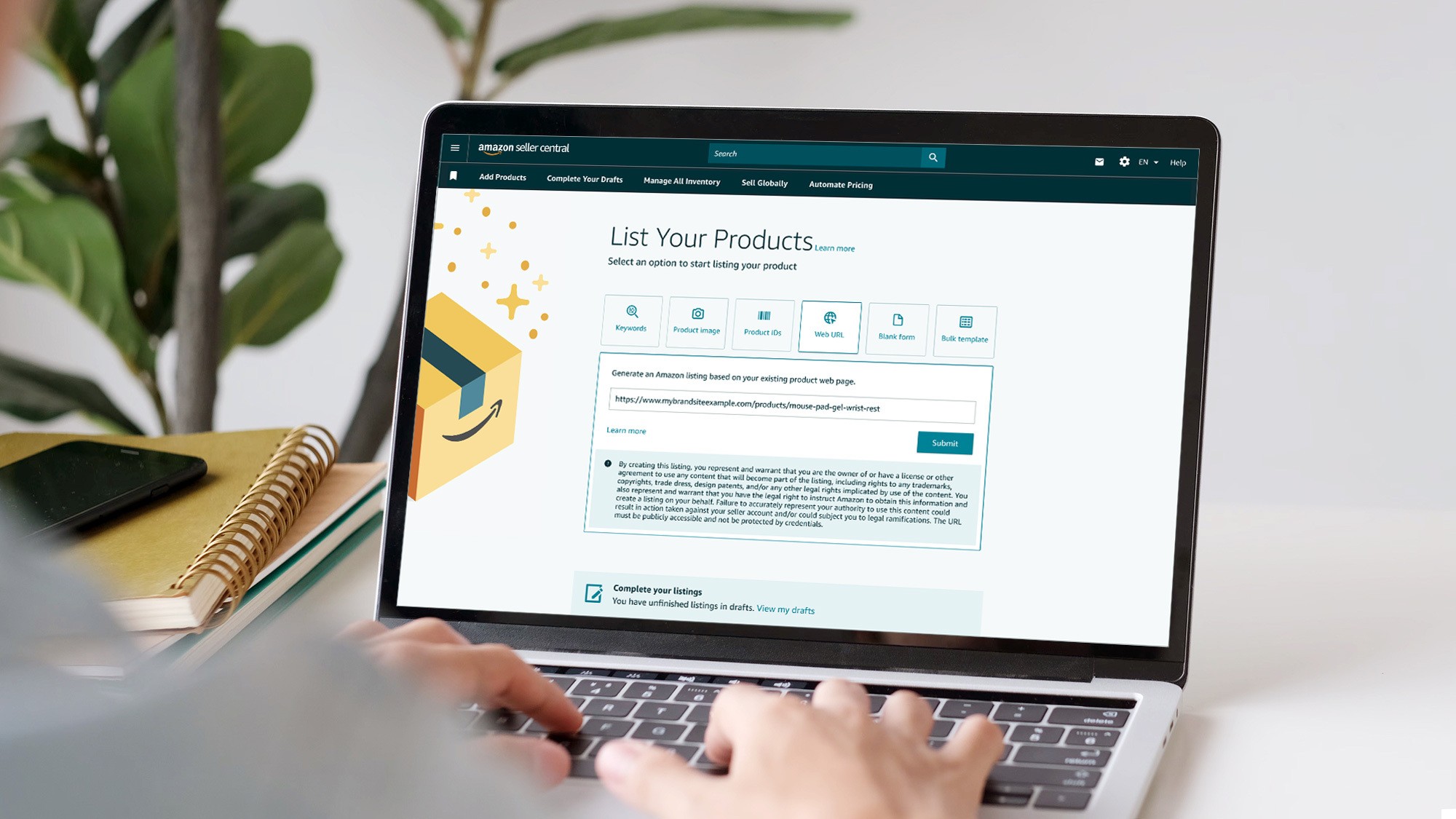
Fix directly via "Edit Listing" or Flat File upload
Quick edits can often be made via the Edit Listing button. For bulk updates or complex fixes, use Amazon's Flat Files, our go-to tool at No Fluff.
Click "Save and Finish" and monitor changes
Once fixed, click "Save and Finish." Most listings recover within 24–48 hours if the submission is correct.
When to open a case with Seller Support
If the issue persists, go to Account Health → Help → and open a case. Always include the ASIN, screenshots, and a clear explanation.
Common Reasons Amazon Suppresses Listings
Wondering why your Amazon listing is suppressed yet again? It's rarely a mystery; Amazon's rules are strict, and even one tiny misstep can push your listing into invisibility. Here's where most sellers trip up:
1. Missing or Low-Resolution Hero Image
Your main image is non-negotiable. Amazon wants it 1000x1000 px, crisp, and on a pure white background. No shadows, no watermarks, no creative liberties. Anything less? Boom, suppressed due to image violation.
2. Title Violations: Too Long, ALL CAPS, or Keyword Stuffed
Your title is not a place to shout or dump every keyword you can think of. Stay under 200 characters Avoid ALL CAPS No spammy keyword repetition
Break these, and you're looking at a backend listing error Amazon won't warn you about; they'll just suppress it.
3. Bullet Points with Subjective or Banned Claims
If your bullets say things like "#1 product," "Best in India," or "Cures XYZ," Amazon's bots will flag them. Especially dangerous in supplements and personal care categories, where compliance is ultra-strict. Use phrases like "supports weight loss management," not "weight loss."
4. Wrong Category or Missing Variation Attributes
Putting your yoga mat under "Office Supplies"? That's a misclassified category. Also, if you forget to include size, color, or material when variations exist, your Amazon product gets suppressed fast. Always double-check your flat file.
5. Incomplete Backend Attributes
You might think no one sees the backend, so who cares? Amazon cares. Attributes like weight, dimensions, fabric type, color, if they're required and missing, you've just handed Amazon a reason to suppress your listing for amazon listing compliance issues.
6. Image or Copy Violating Amazon's Restricted Word Policies
Amazon scans your listing copy for restricted words. One wrong phrase, and you're out. A classic one? "Weight loss." Use "weight loss management" instead; that's what passes compliance. Other red flags include: "cure," "guaranteed results," and claims without certifications.
How Suppressed Listings Hurt Your PPC & Sales
Ads stop serving the moment a listing is suppressed: If your Amazon product is suppressed, ads tied to that ASIN will immediately stop running, wasting your budget. Product won't show in search or Sponsored ads: You lose both organic visibility and sponsored reach. This hurts traffic and conversions.
Organic rank and keyword indexing take a hit: Suppressed listings can quickly lose keyword indexing, making recovery harder over time. Suppressed listings = stranded inventory risk: If the issue drags on, your inventory becomes unsellable. This triggers storage fees and lowers profitability. Sales velocity drops → lower BSR and loss of Buy Box: Slowed sales hurt your Best Seller Rank and Buy Box eligibility, reducing future discoverability.
Step-by-Step Fix: How to Reactivate a Suppressed Listing
Step 1: Identify the suppression reason
Use Account Health Notifications or check the Suppressed tab.
Step 2: Edit flagged fields
Update title, bullet points, images, or attributes flagged by Amazon.
Step 3: Re-upload missing images or valid keywords
Ensure your image follows specs. Reword flagged phrases (e.g., avoid "weight loss").
Step 4: Save and monitor for status change
Give it 24–48 hours. Check the listing status again in your inventory panel.
Step 5: If unresolved, open a case with ASIN and screenshots
Use Amazon's Account Help section to raise a ticket. Be concise and submit all required documents.
Step 6: Use bulk Flat Files to fix multiple suppressed listings
No Fluff uses Flat Files extensively to fix suppressed listings at scale, especially useful for large catalogs.
How to Prevent Future Listing Suppressions
So your Amazon listing was suppressed, maybe for an image issue, maybe a compliance miss. You fixed it. Great. But if you want to stop playing whack-a-mole with Amazon's rules, here's how you future-proof your listings (the way our team does it at No Fluff):
Follow Amazon's category-specific policies like your business depends on it, because it does. Selling supplements? Don't say "weight loss," say "weight management." Got a pressure cooker? Better have BIS certification ready. Every niche has its own compliance landmines. One wrong claim = Amazon product suppressed in minutes.
Lock your image game down, 1000x1000px, white background, no text overlays. The main hero image is sacred. Amazon wants it clean, clear, and compliant. No logos, badges, or lifestyle shots here. Anything else? That's a fast track to being suppressed due to an image violation tag.
Keep your titles short, clean, and free of hype. Stay under 200 characters. No ALL CAPS. No "Best Ever!" No "Guaranteed Results." Amazon doesn't like subjective, unverifiable claims, and these little things often trigger backend listing errors that lead to suppression.
Use the Listing Quality Dashboard. Weekly. No excuses. Amazon literally gives you a tool to spot listing violations and missing attributes before they blow up your account. If you're not checking this weekly, you're asking for trouble, or at least for your listing not showing on Amazon when you need it most.
Build pre-publish SOPs. We've done this for dozens of brands. Before you push a listing live, run it through a checklist. Titles, images, bullet points, backend attributes, all must be airtight. At No Fluff, we help sellers create these SOPs so they stop relying on guesswork (and start relying on revenue).
Stop editing listings after your ads go live. You'd be surprised how many suppressions we fix that started with a minor edit to a live listing. Amazon revalidates, flags something, and boom, amazon product detail page issues everywhere. Pause, plan, then edit if you must.
Need Help? How No Fluff Fixes Suppressed Listings at Scale
We've seen it all, "Amazon listing suppressed" red flags across supplements, electronics, home & kitchen, and more. Whether it's a rogue keyword, missing compliance doc, or backend attribute chaos, we've fixed it, fast.
Here's how No Fluff handles suppressed listings like a pro (because we are one):
Expert Audits: Neuromarketing Meets Amazon Compliance
We don't just check boxes; we audit your entire listing like a buyer and an Amazon bot. From EPR compliance to visual psychology, our team knows what triggers suppression and what sells.
Ad-Ready Copy That Won't Get You Flagged
Say goodbye to "weight loss" takedowns and "ALL CAPS" title drama. We rewrite your title, bullets, and A+ content to boost conversions, while keeping every word compliant with Amazon's ever-changing listing policies.
Fixing the Backend (Where Most Agencies Don't Look)
Your listing might look fine upfront, but one missing attribute in the backend can kill it. We plug all the gaps: variation attributes, compliance codes, image specs, you name it.
Bulk Fixes via Flat File Uploads
Got 10, 20, or 50+ listings suppressed? We batch-fix them using Amazon flat files, fast, clean, and compliant. No fluff.
Free Account Review
Sometimes you're not even sure why your amazon product got suppressed. That's where we come in. We'll review your Account Health dashboard, suppressed tab, backend fields, and show you exactly what's broken.
Write to us at Marketing@nofluff.in; we've solved this exact issue hundreds of times. Whether your product was suppressed due to image violation, backend errors, or listing compliance issues, we'll fix it faster than anyone else. Period.
Frequently Asked Questions
Why does Amazon suppress product listings?
How do I fix a suppressed Amazon listing?
Will my ads still run if the listing is suppressed?
How can I avoid future listing suppressions?